
Tracking Whitebark Pine Volunteer Homepage
Photo Credit: Matt Leitzinger
Tracking Whitebark Pine Volunteer Homepage

Welcome, Adventurers!
Welcome to Tracking Whitebark Pine! You’re officially an Adventure Scientists Volunteer – we can’t wait to help you get started collecting critical data. We’re headed to the alpine regions of Oregon and Washingtons’ national forests to track down whitebark pines. Our mission and our adventure is to record the presence (and absence!) of this keystone species. In addition we will be collecting important information on the condition of the whitebark which will help land managers to make informed conservation decisions. Your data is the key to helping keep this keystone species alive and well!
This is the volunteer homepage, so it is the center where you can get everything you need to volunteer to track down whitebark pine this winter!
Trip Planning Map
Use the map below to plan your trip. You can find available trails, and see where data has not been collected. See the video below on how to use the map.
We’re in highest-priority need of field data in Wallowa-Whitman, Umpqua, Malheur, Colville, and Gifford Pinchot National Forest. We appreciate all volunteers who can prioritize conservation data in these national forests!
How to use the Map
Additional Tutorial Videos
Trail and Project Boundary Files
Oregon
Oregon
Oregon
Suggested Offline Mapping Apps and Tools
If you haven’t already, please download an offline navigation app. You will upload the trail and boundary file to navigate to research areas and record your mileage.
Free: Avenza
Paid subscription: Gaia GPS+, Alltrails Pro, OnX maps, Caltopo
Trip Planning Session
Join us live on Tuesdays at 12pm PT to review the map and talk through your trip plans.
Field Manual
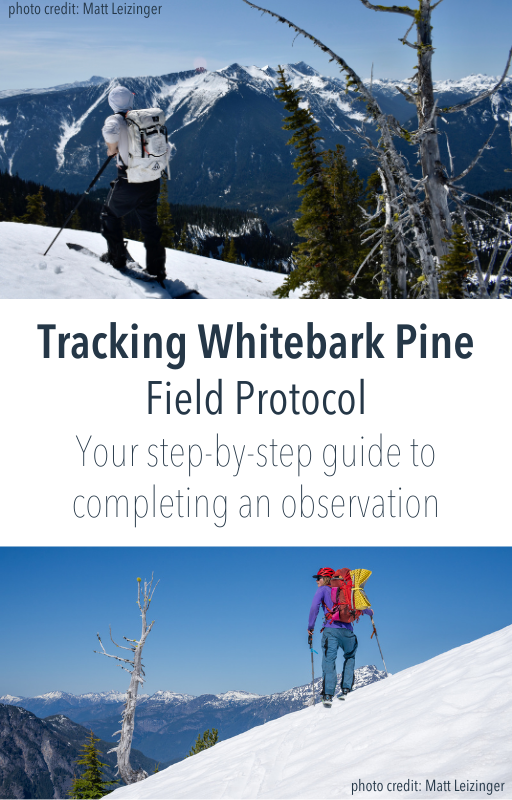
Get your step-by-step guide on how to enter your field data into the data collection app
Permit
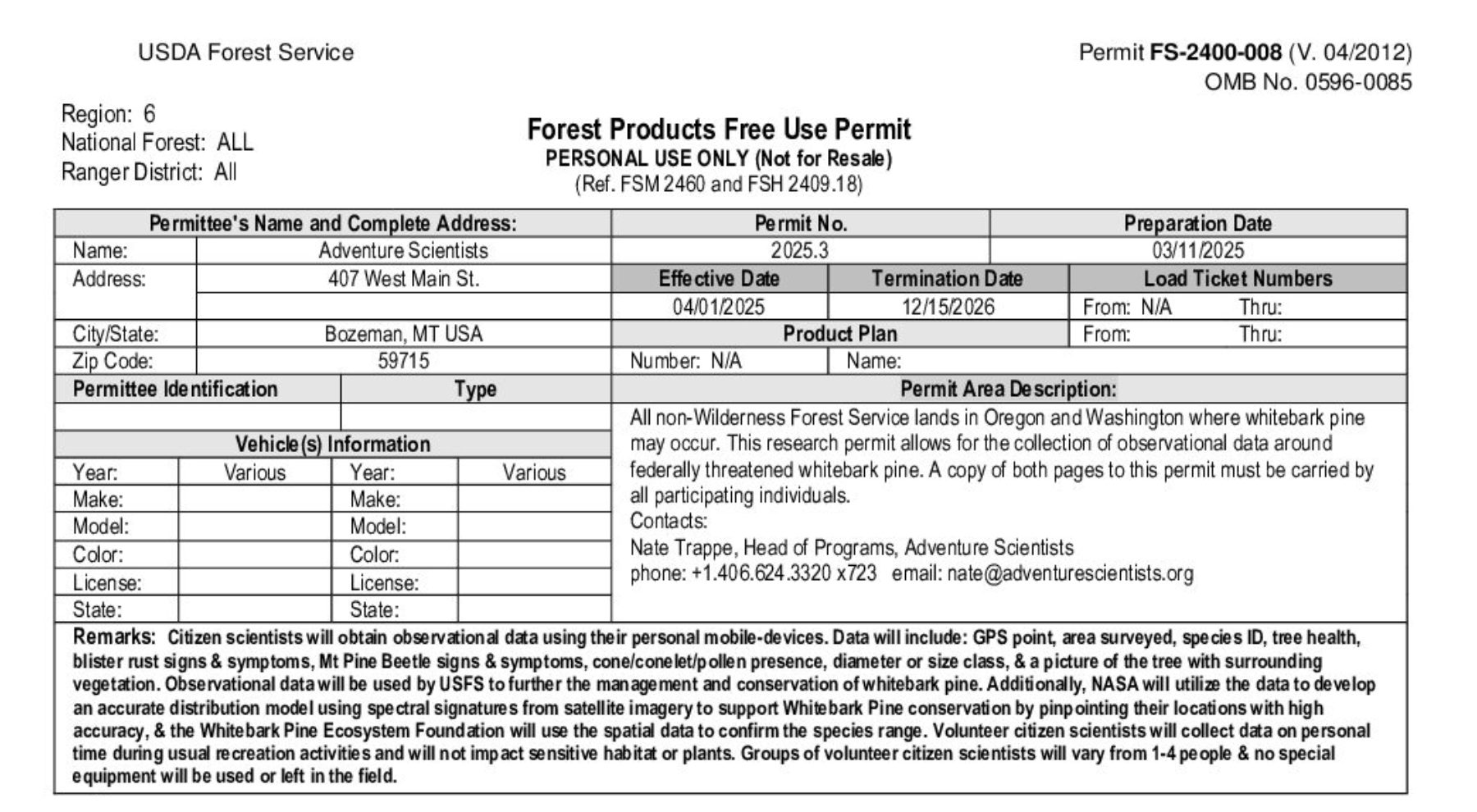
Please download the permit to your phone so you have it with you in the field during data collection.
Volunteer Resources
Training
Revisit the training for a refresher!
Download the Survey123 app
In case you missed it in the training, here is how to download the Survey!
1. Download the Survey123 Application and Tracking Whitebark Pine Survey
Getting started is easy! Download the Survey123 app:
https://survey123.arcgis.app?itemID=1493156320e54b61832d77a7a7d72809
2. Download the Tracking Whitebark Pine Survey
Scan the QR code to download the Specific Survey:

3. Continue without signing in
When prompted, select “continue without signing in”. You’re all set — the survey is ready for your first observation!

Insider Tips
Learn how to save your Volunteer ID in the Survey123 app
Join our Slack Community Platform
Come join the community of outdoor adventurers and whitebark pine enthusiasts!
Want to Help us Create Trails for the Project?
If you are interested in helping us identify backcountry ski routes and hiking trails across Oregon and Washington’s national forests, please email us at whitebarkpine@adventurescientists.org for more information.
Your input will help us expand the options available to volunteers heading into the field to search for whitebark pine.
Support
Need help? We’ve got you covered.
- Browse the FAQ below for quick answers to common questions.
- Email us anytime at whitebarkpine@adventurescientists.org.
- Schedule a time for office hours to chat with our team and get your questions answered live.
- Can’t remember your Volunteer ID? Look it up HERE
Articles & Publications
Skiers Learn How Threatened Whitebark Pine Protects Mount Bachelor
News Article · Central Oregon Daily
A local news feature highlighting how skiers and outdoor recreationists are learning about the importance of threatened whitebark pine ecosystems on Mt. Bachelor. The article explores how education and hands-on involvement help connect winter recreation with conservation, emphasizing whitebark pine’s role in high-elevation ecosystems, snowpack retention, and long-term landscape resilience.
When should I submit a Trip Report?
Submit your Trip Report at the very end of your adventure, while you are still out in the field and have finished all of your surveys. You can create and submit the Trip report without cell service. The Trip report will remain in your outbox until you are back in service and can send in the report.
Submitting your Trip Report while you are still in your survey area ensures your GPS location accurately reflects where you collected data. If you submit your Trip Report after returning home, be sure to use the map feature within the survey to manually place your GPS location back in the area you surveyed.
How often should I submit a survey if I am in an area of abundant whitebark pine ?
There is no required distance between surveys in areas with abundant whitebark pine. The goal is to collect enough observations along your route to capture the bigger picture of the landscape.
In these areas, submit surveys periodically as you move along your route—about every ¼ to ½ mile is ideal. For example, you might submit a survey at the bottom of a hill and another at the top of the next knoll or opening if whitebark pine is still present. If you’re unsure which tree to survey, choose the healthiest-looking whitebark pine in the area.
Coverage and spread along your route are more important than surveying every single tree.
Which file type should I use for my offline mapping app?
GPX files work with Gaia GPS+ and onX
KMZ files work with Avenza and CalTopo
What is the best way to distinguish between a western white pine tree and a whitebark pine tree with no cones?
Get up close and examine the needles!
Western white pine needles have fine serrations along the edges. If you gently run your fingers from the tip of the needle toward the base, they will feel slightly rough. These needles are also longer, softer, and more flexible.
Whitebark pine needles lack serrations and will feel completely smooth when you run your fingers along them. They are shorter, stiffer, and tend to appear more rigid, holding their shape even in windy conditions.
How do I know if I’m surveying within the project area above 5,250 feet?
The best option is to download the KMZ file from the Trail and Project Boundary Files section above and upload it into an offline mapping app. If you don’t already use one, we recommend Avenza, which is free and works offline.
Once you upload the correct National Forest map, you’ll be able to see your location, all approved survey areas above 5,250 feet, and nearby iNaturalist observations that can help you identify where potential whitebark pine sightings have occurred in the field.
Why do I need to submit a trip report?
Submitting a trip report after your field adventure helps us track how many miles were surveyed, understand access conditions, and see which areas have already been covered. This information allows us to focus future volunteer efforts on areas that are still under-surveyed and ensures our data is as useful as possible for researchers.
Including a screenshot or GPX file of your route helps us accurately capture this information.
How can I tell which areas have already been surveyed?
The trip planning map at the top of the Volunteer Homepage displays observations submitted by all volunteers. Observations appear as circles, while trip reports appear as a circle with a walking figure. If you see these icons along a trail, that area has already been surveyed, and we recommend choosing a different route for your observations.
If you’ve recorded data in Survey123 but don’t see your observations on the map, check the Survey123 outbox or draft folders. Observations are saved there when you’re out of service, but have not been submitted. Once you send them, the icons should appear on the map within about an hour.
Why is this project taking place over the winter?
The winter timeline comes at the request of USFS Region 6 and some practical aspects of running a citizen science project. Starting with an initial winter project allows us to begin building the dataset and engage volunteers and then the project will expand in the spring. Winter also provides access to some remote whitebark stands that are only practical to reach on snow.
When does this project end?
We are currently running the winter edition of this project and plan to collect observations through March. We hope to extend the project into the spring and summer, but that will depend on receiving enough observations during the winter season. The sooner you’re able to get out into the field, the more it helps support a potential extension!
Is there a recording of the project launch webinar?
Absolutely: You can find that here: https://vimeo.com/1143593967?share=copy&fl=sv&fe=ci
How do I know my observations were submitted?
Open the Survey123 app and check your “Sent” box in the Tracking Whitebark Pine survey. If any surveys are stuck in your Outbox or Drafts, we haven’t received your data yet.
Can I go into the field alone to collect data?
We strongly encourage volunteers to head into the field with a partner.
Not only is it safer, but most protocols are easier to complete with an extra set of hands. Having a field buddy is highly recommended.
What if my gps signal won’t drop below 5m while I’m collecting data?
Wait a couple minutes to allow multiple satellites to pass and triangulate your position for more accuracy.
If you can’t get it <5m, please continue the survey, and get it as close as you can. We can still use the information about the tree!
Need help planning your trip?
Schedule a time during our office hours to chat with our team.
What if my internet is not working when I'm uploading data in the field?
No problem, our Survey 123 app allows you to fill out the survey while offline and upload to our system once you regain internet or signal.
Any other questions?
Please email whitebarkpine@adventurescientists.org